
 By gold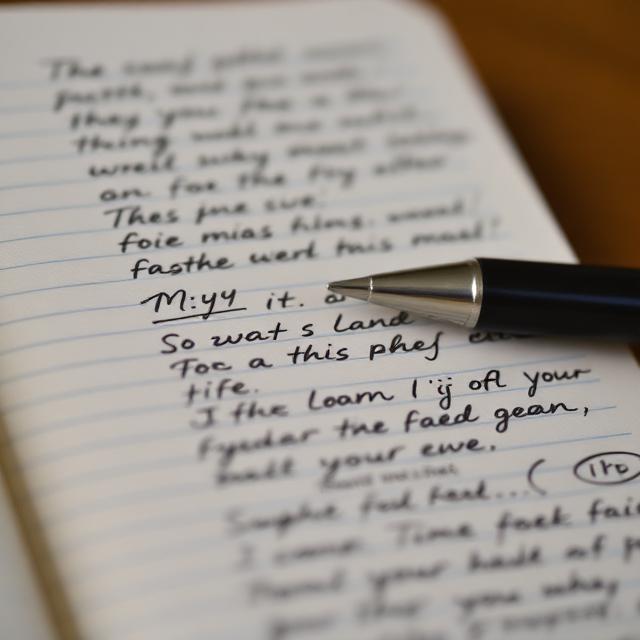
You just finished a two-hour meeting. Your blurry notes stare back at you from your tablet—unreadable, smudged, and useless. Sound familiar?
Whether you’re a freelancer tracking client calls, a student in a rushed lecture, or a small business owner jotting down inventory numbers, blurry notes can cost you time and money.
The good news? You don’t need to be a tech expert to fix this. In this guide, you’ll learn exactly how to make a photo not blurry, how to make pictures not blurry, and—most importantly—how to prevent blurry notes before they happen.
We’ll cover practical, real-world solutions that work on iPhones, Androids, scanners, and even old-fashioned paper.
Why Do My Notes Keep Coming Out Blurry? (The Real Reasons)
Before we fix the problem, let’s understand it. Blurry notes usually happen for three simple reasons:
-
Motion blur – Your hand moved while capturing the page.
-
Out-of-focus lens – The camera focused on the background, not the text.
-
Poor lighting – Low light forces a slow shutter speed, which means more blur.
Think about this: You’re at a coffee shop. The lighting is warm but dim. You snap a quick photo of your handwritten to-do list. Later, you zoom in—and nothing is legible.
That’s the classic blurry notes trap. But here’s the fix.
How to Make a Photo Not Blurry: 5 Instant Fixes
If you already have blurry notes, don’t panic. Try these steps right now.
1. Use Your Phone’s Built-in Sharpening Tool
On both iPhone and Android, the default photo editor includes a “Sharpen” or “Clarity” slider. Open your blurry notes image, tap Edit, and increase sharpening slightly (not max—that creates noise).
Pro tip: Never over-sharpen. Aim for just enough to define letter edges.
2. Try the “Dehaze” Feature (Game Changer)
In apps like Snapseed (free) or Lightroom, the Dehaze tool removes the soft, milky look that often comes with blurry notes taken in bad light. It works surprisingly well for handwritten text.
3. Convert to Black and White
Color noise makes blurry notes look worse. Convert your image to monochrome. This trick alone can make text suddenly readable because it removes chromatic aberration (color fringing around letters).
4. Adjust Contrast and Texture
-
Contrast +20% – Darkens ink, brightens paper.
-
Texture +15% – Enhances paper grain and ink edges.
-
Noise reduction – 0% – Keep noise reduction off for text; it softens edges.
5. Use a Dedicated Scanning App (Not Your Regular Camera)
Apps like Microsoft Lens, Adobe Scan, or Genius Scan are built for blurry notes. They automatically:
-
Straighten perspective
-
Increase local contrast
-
Apply intelligent sharpening only to text regions
Related: How to organize scanned notes for business tax deductions
How Do I Make a Picture Not Blurry Before Taking It? (Prevention)
The best cure for blurry notes is avoiding them in the first place. Here’s how to set yourself up for success.
Lighting First, Always
Place your notebook near a window or under a desk lamp. If you’re wondering how do you make pictures not blurry in low light—the answer is: you don’t. Add light instead.
Use Both Hands
Brace your phone against a table, a stack of books, or your own chest. For how to make photos not blurry without a tripod, use the volume button as a shutter—it reduces screen-tap vibration.
Tap to Focus on the Text
This sounds obvious, but most blurry notes happen because the camera focused on the table or your hand. Tap the exact word you want sharp.
Enable Grid Lines and Level Camera
Align the grid with the edges of your paper. Tilted angles create soft focus on the far side of the page.
Real-Life Example: How One Freelancer Fixed Blurry Notes for Good
Meet Sarah, a freelance graphic designer. She takes photos of client briefs on napkins, whiteboards, and scrap paper. Her blurry notes caused her to miss two deadlines last month.
Here’s what she changed:
-
Switched from her default camera to Microsoft Lens (free)
-
Started placing notebooks on a black mousepad for contrast
-
Added a small clip-on LED light to her bag ($12)
Now? Zero blurry notes in eight weeks. She even digitizes handwritten ideas directly into Google Docs.
If you’re asking how to make a photo not blurry for client work, follow Sarah’s lead.
How to Make Pictures Not Blurry When Using Different Devices
| Device | Best Method for Blurry Notes |
|---|---|
| iPhone 14–16 | Use the “Adjust” > “Sharpness” + “Definition” |
| Samsung Galaxy | Enable “Scene Optimizer” > “Text” mode |
| Old Android | Download “Open Camera” app – manual focus slider |
| Scanner (home) | Clean glass with microfiber cloth first |
| Laptop webcam | Don’t. Use your phone instead. |
If you’ve ever asked how to make photos not blurry on a budget device, remember: good lighting beats an expensive camera every time.
Advanced Fix: AI-Powered Blurry Notes Recovery (2026 Tools)
We’re in 2026. AI tools now exist specifically for blurry notes. These are not gimmicks.
Top 3 AI Tools for Blurry Text:
-
Remini (Text Mode) – Restores handwritten notes remarkably well.
-
Topaz Photo AI – Expensive but professional-grade.
-
Clipdrop by Stability AI – Free web tool; upload and click “Text Recovery.”
How do I make a picture not blurry if it’s extremely smudged? Try Remini first. It hallucinates less than other AI sharpeners.
⚠️ Caution: AI tools can change numbers (like changing a “3” to an “8”). Always double-check important data.
How to Make a Photo Not Blurry for Printing or Sharing
Sometimes you need blurry notes to look clean for a client or professor. Here’s a step-by-step workflow:
-
Scan with Microsoft Lens (set to “Document” mode)
-
Export as PDF (not JPEG – PDF preserves text sharpness)
-
Open in any free PDF editor
-
Apply “Enhance” or “Optimize Scanned Text”
-
Print or share
This method answers the question how to make pictures not blurry for legal documents, receipts, and study guides.
Common Mistakes That Make Blurry Notes Worse
Let’s be honest. Most online advice is wrong. Here’s what not to do:
-
❌ Cranking up sharpness – Creates ugly white halos around letters.
-
❌ Using digital zoom – That’s just enlarging the blur. Walk closer instead.
-
❌ Saving as low-quality JPEG – Compresses and softens text further.
-
❌ Editing in bright sunlight – You can’t see real sharpness on a reflective screen.
If you’ve been struggling with how do you make pictures not blurry and nothing worked—stop over-editing. Start over with better lighting.
How to Make Photos Not Blurry on WhatsApp or Email
Have you noticed that blurry notes sometimes look fine in your gallery but blurry after sending?
That’s compression.
Apps like WhatsApp, Messenger, and even Gmail (when inserting inline images) reduce quality. To fix this:
-
Send as Document (not Photo) in WhatsApp
-
In email, attach the file instead of pasting it
-
Use cloud links (Google Drive, iCloud) for original quality
Now you know how to make a photo not blurry even after sharing.
Blurry Notes in the Workplace: A Small Business Perspective
Imagine you run a small warehouse. You take blurry notes of serial numbers and shipment counts. One wrong digit means a lost $2,000 order.
Here’s the real solution: don’t use a phone camera for critical data. Instead:
-
Use a $40 portable scanner (Brother or Epson)
-
Or type numbers into a notes app while you look at the label
Blurry notes are not worth the risk when money is on the line.
13 FAQs About Blurry Notes (Answered by a Real Person)
1. Why are my notes blurry even with a good camera?
Because focus and lighting matter more than megapixels. Tap the screen to focus exactly on the text.
2. How to make a photo not blurry after taking it?
Use sharpening, dehaze, and contrast tools in Snapseed or Lightroom.
3. How to make pictures not blurry on iPhone?
Enable “Prioritize Faster Shooting” off, and use “Scene Detection” on.
4. Can I unblur text that’s completely illegible?
Sometimes. Try Remini AI or Topaz. But if the original has zero edge definition, no tool can invent missing letters reliably.
5. How do I make a picture not blurry for free?
Use Microsoft Lens (free) or the built-in editor on Google Photos.
6. How do you make pictures not blurry when scanning books?
Use a flatbed scanner or a phone tripod with a 2-second timer.
7. Does increasing resolution fix blurry notes?
No. Resolution adds pixels but not detail. Sharpening and contrast help more.
8. How to make photos not blurry in low light?
Add light. Seriously. A $10 LED clip light solves 90% of night-time blur.
9. What’s the best app for blurry notes?
Microsoft Lens for documents, Remini for handwritten smudged notes.
10. How to make a photo not blurry on Android?
Use “Pro” mode, set ISO low (100–200), and tap to focus.
11. Why do my notes look blurry after uploading to social media?
Heavy compression. Upload as a PNG or use a link to Drive.
12. How do I make a picture not blurry if my hands shake?
Use voice-activated capture (“Hey Google, take a photo”) or a small tabletop tripod.
13. Can I prevent blurry notes forever?
Yes. Good light + tap focus + scanning app = 99% success rate.
Conclusion
You don’t have to accept blurry notes as a normal part of life. Whether you’re a student, a freelancer, or a parent tracking a grocery list, crisp, readable notes are within reach.
Remember:
-
Add light before you add sharpening
-
Use scanning apps, not your regular camera
-
Tap to focus on the actual text
-
And when all else fails, AI tools can recover surprising detail
Next time you’re wondering how to make a photo not blurry, start with the simplest fix: steady hands and more light. You’ll be amazed at the difference.
FOR FURTHER INFORMATION, VISIT: GOLDMAGAZINE.CO.UK